

3CX
3CX’s Generic SIP Trunk (IP Based) connection type is only available on StartUP PRO and self-managed/Dedicated instances — the entry StartUP tier doesn’t expose it.- Create a Generic SIP Trunk in 3CX with IP-based authentication, not SIP registration.
- Point it at the platform SIP FQDN, set the trunk transport to TCP (UDP fragments large INVITEs), and restrict codecs to PCMA/PCMU with RFC2833 DTMF — disable Opus and G.722.
- Set the trunk’s From: Display-Name and Remote-Party-ID to
OriginatorCallerIDso the assistant sees the real caller, not 3CX’s own system number. - Configure inbound in two parts: an outbound rule with a distinct prefix (for example
999) routed to the trunk, and an inbound rule that dials999<number>back through that same outbound rule. - Assign the DID on the platform side and test.
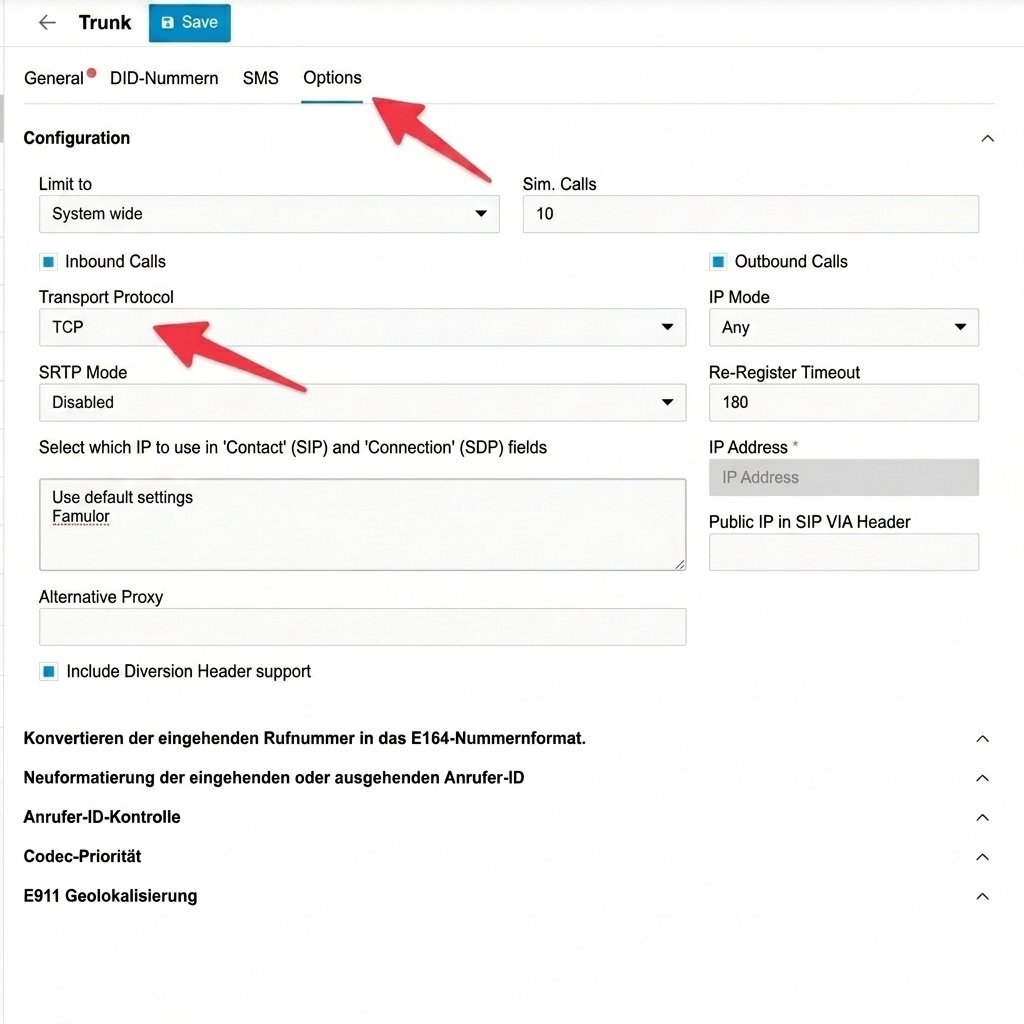
Set the trunk's transport protocol to TCP
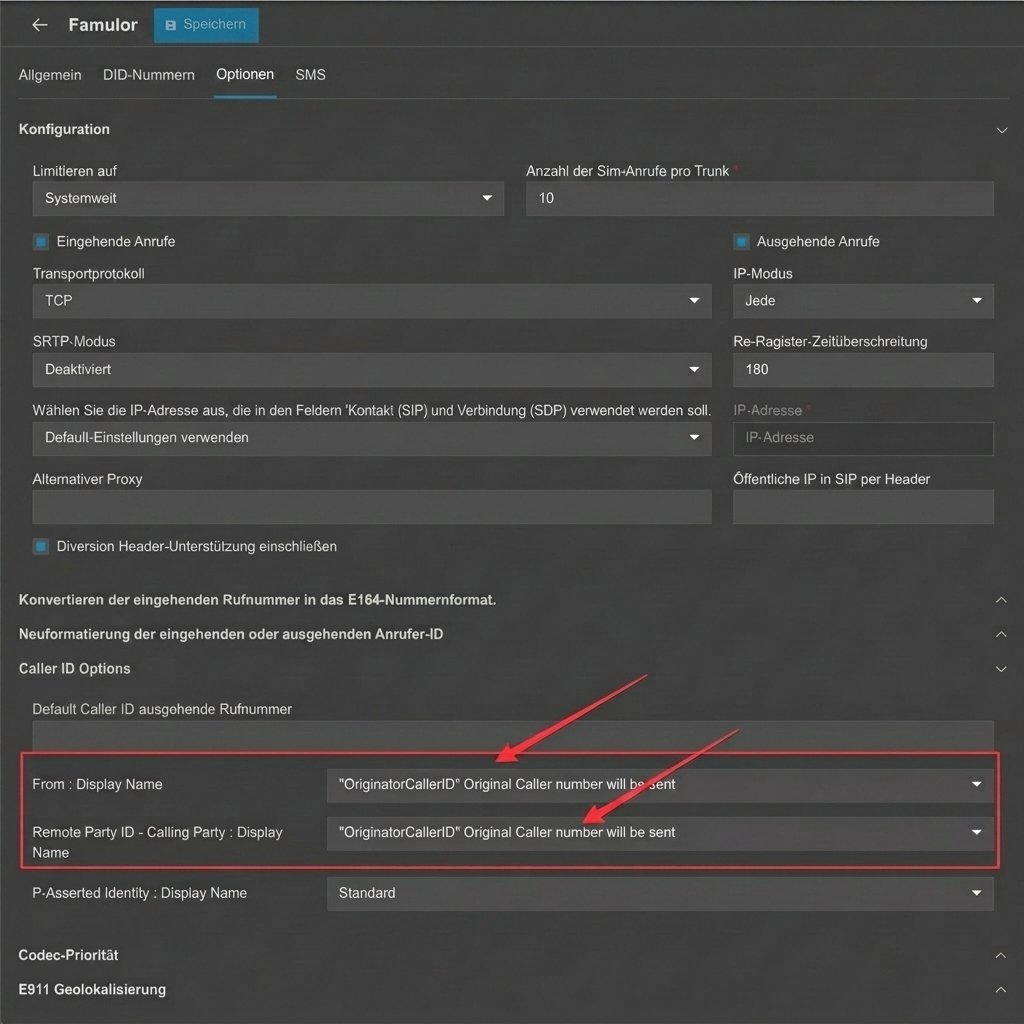
Pass through the real caller ID with OriginatorCallerID
Asterisk / FreePBX
Configure a static, non-registering trunk in both directions — Asterisk never sends the platform a SIP REGISTER, and the platform never expects one.FreePBX (GUI)
Add a generic SIP trunk pointed at the platform SIP FQDN and disable registration. Restrict codecs to PCMA/PCMU. If Asterisk sits behind NAT, set the external media and signaling addresses and the local network range so RTP negotiates correctly, and forward the RTP port range at the firewall.Raw config (pjsip.conf)
transport= line to the endpoint — the platform SIP URI advertises TCP by default.
If calls connect but drop at exactly 30 seconds, the endpoint is missing a re-INVITE across NAT. direct_media=no and rewrite_contact=yes (already in the sample above) fix it.
Starface
Connect Starface with a host/IP-based SIP line, not SIP REGISTER — the line will show not registered in Starface’s status view afterward. That’s expected, not a fault.- Create the SIP line as host/IP-based, pointed at the platform SIP FQDN, and assign the number.
- Enable CLIP No Screening so the real caller ID passes through instead of the trunk’s own number.
- For time-based routing to the assistant, use a line-prefix dial string such as
**<line-digit>*<number>. - If audio is one-way or missing, set Behind NAT? yes on both the Starface server and the line.
Genesys Cloud
Connect the platform as an external trunk under BYOC Carrier.- Create the trunk with inbound (the FQDN Genesys Cloud generates) and outbound (pointed at the platform SIP FQDN) configured as separate legs.
- Open the non-standard ports at your firewall — TCP/UDP 32681 and TLS 32682 — instead of the usual 5060/5061. A firewall that only opens the standard ports fails silently.
- Order codecs PCMU then PCMA, and remove G.722.
- Restrict SIP Access Control to only the platform’s current signaling addresses.
Five9
Provisioning the platform as an external SIP destination on a Five9 SBC is an enterprise-only integration.- Open a support ticket with Five9 — there’s no self-service path.
- Set codecs to G.711 only (no Opus/G.722).
- Configure human transfers with SIP REFER — Five9 doesn’t honor SIP 302 redirects.
- Target a fully-qualified URI for every REFER (
sip:queue@sbc-{region}.five9.com); a bare extension is silently dropped.